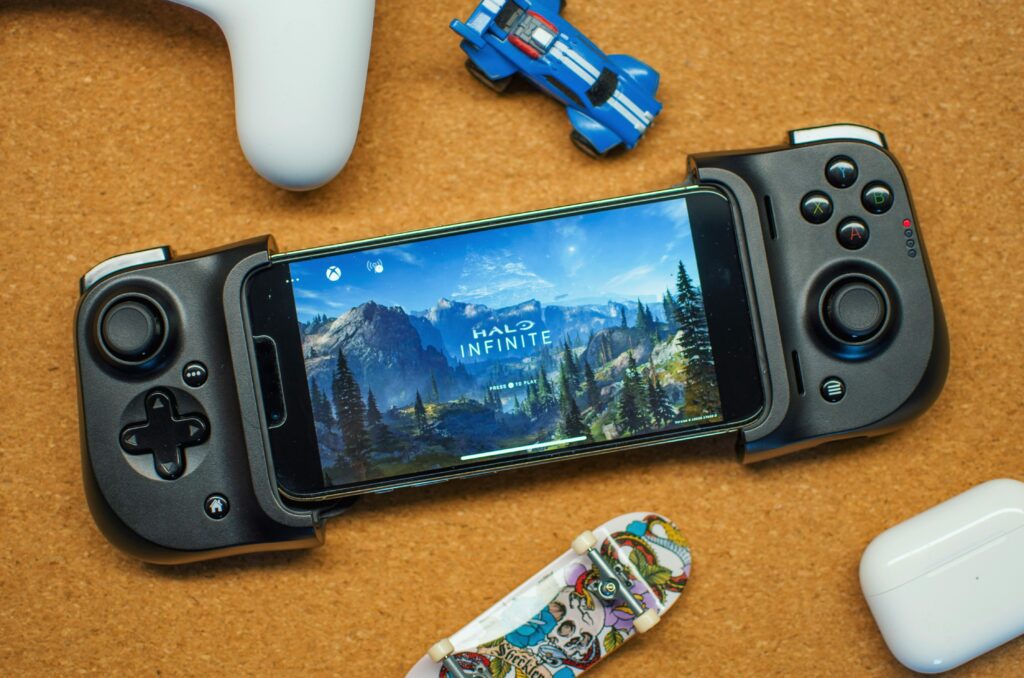
The boundary between traditional living room consoles and mobile devices has fundamentally dissolved. For years, playing high-end video games meant being tethered to a bulky plastic box sitting underneath your television or investing thousands of dollars in a high-end gaming desktop. Today, services like Xbox Cloud Gaming (powered by Xbox Game Pass Ultimate) allow players to stream massive, current-generation AAA blockbusters directly to the screen of an everyday smartphone. But running a graphically intense title originally built for a dedicated console inside a pocket-sized mobile device involves a fascinating mix of cloud server rendering, video encoding codecs, and rigorous local hardware demands.
If you want to turn your smartphone into a true portable entertainment powerhouse without burning through your hardware prematurely, you need to look past the marketing hype and understand the specific technical requirements of mobile cloud streaming. From handling network packet loss to protecting your battery against thermal stress, here is an in-depth look at what it takes to master Xbox Cloud Gaming on mobile.
Under the Hood: How Xbox Cloud Gaming Renders on Mobile
To understand why mobile cloud gaming works so smoothly today, it helps to look at what happens behind the scenes when you launch a game on your phone. Unlike native mobile apps that force your phone’s internal graphics processor (GPU) to render 3D polygons locally, Xbox Cloud Gaming processes everything on remote server blades housed in Microsoft data centers—specifically modified Xbox Series X hardware architectures.
When you press a button on your phone, that input travels over the internet to the data center. The remote Xbox server instantly registers the command, calculates the game physics, renders the 3D frame at 1080p resolution, and compresses that frame into a video stream using advanced codecs like H.264 or HEVC. This video stream is beamed back to your smartphone in fractions of a second, where your phone simply decodes and displays the video while registering your touch or gamepad inputs. Because your phone is only acting as a video decoder and receiver, even a mid-range smartphone with a modest processor can stream visually breathtaking games like Starfield or Microsoft Flight Simulator without stuttering.
This architectural shift brings distinct advantages for tech-conscious users:
- Zero Local Storage Footprint: Modern console games frequently cross the 100 GB threshold. Cloud streaming requires zero local installation space, leaving your phone’s internal storage entirely free for personal photos, 4K videos, and everyday messaging apps.
- Hardware Longevity on Rendering: Because your phone’s internal GPU is resting and not pushed to its thermal limits rendering complex geometry, you avoid the heavy GPU degradation typical of intense native mobile gaming.
- Instant Cross-Platform Saves: Because your game progress is tied directly to your cloud-synced Xbox profile, you can pause an open-world session on your living room console and pick up the exact same second on your mobile phone while commuting.
Hardware and Ergonomics: Upgrading Your Mobile Setup
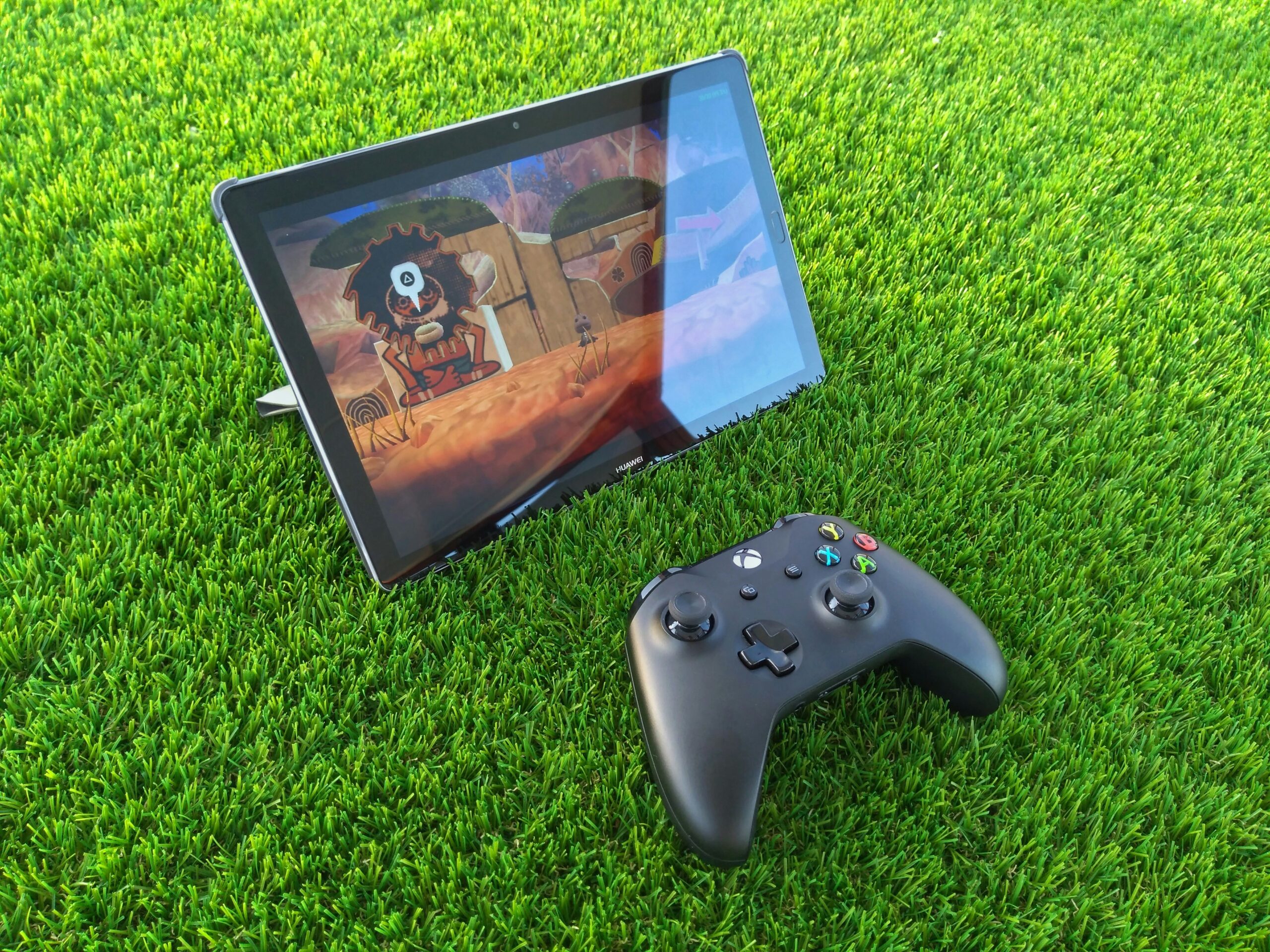
While Xbox Cloud Gaming features touch-screen control layouts for a growing library of titles, trying to play fast-paced action games or first-person shooters using flat glass and virtual buttons quickly leads to obscured visibility and hand fatigue. Bridging the gap between a touchscreen device and a console experience requires dedicated mobile gaming accessories designed for precision and ergonomics.
1. Direct-Connect Telescopic Gamepads
For the most authentic portable console feel, telescopic controllers (such as the Backbone One or Razer Kishi V2) clamp securely onto the sides of your phone. Crucially, models that plug directly into your phone’s USB-C or Lightning port bypass Bluetooth entirely, offering a direct, hardwired connection with virtually zero input latency. Every millisecond shaved off your command response time is critical when parrying an attack or lining up a sniper shot in multiplayer environments.
2. Solving the Audio Latency Dilemma
Audio synchronization is frequently overlooked by mobile gamers. Standard wireless Bluetooth earbuds introduce a noticeable audio delay (often between 150 to 300 milliseconds) due to audio codec compression buffers. Hearing an explosion a split-second after seeing it ruins spatial awareness in competitive games. For the cleanest audio feedback, using wired headphones paired with a compact USB-C to 3.5mm DAC (Digital-to-Analog Converter) adapter ensures absolute synchronization between sight and sound.
The Thermal Challenge: Protecting Battery Health and Internal Ports
Even though your phone’s processor isn’t rendering 3D game engines locally, streaming high-definition video at 60 frames per second places a unique, sustained burden on your device. Keeping your screen cranked to maximum brightness while your phone’s Wi-Fi or 5G modem constantly downloads data packets creates a steady stream of internal heat.
Thermal accumulation is the primary enemy of lithium-ion mobile batteries. Prolonged exposure to high temperatures accelerates chemical aging inside the battery cells, leading to a permanent reduction in overall capacity over time.
Pro Maintenance Tip: Avoid streaming cloud games for extended periods while keeping your phone inside a thick, heavily insulated protective case, as this traps ambient heat against the back glass. Furthermore, never stream games while fast-charging your device simultaneously, as compounding heat sources can critically damage your battery’s internal chemistry.
Recognizing Hardware Wear and Tear
Intensive mobile gaming sessions and heavy peripheral use can take a physical toll on your hardware over months of use. If you notice that your controller disconnects intermittently or your charging cable feels loose, the internal pins of your USB-C port may have suffered structural fatigue, making a charging port replacement necessary. Similarly, if your phone’s battery percentage plummets by 40% after just half an hour of cloud streaming, it is a clear indicator of chemical degradation. Upgrading your device with a certified replacement battery restores your phone’s peak performance, allowing you to game longer without hunting for wall outlets.
Network Optimization: Mastering Bitrate, Wi-Fi 6, and 5G
The ultimate bottleneck for Xbox Cloud Gaming is never your phone’s processor—it is your network stability. Video streaming codecs require a reliable, consistent stream of data packets. A network with high jitter (fluctuating latency) or packet loss will cause stuttering, pixelation, or input freezing, regardless of your raw download speed.
- The 5 GHz and Wi-Fi 6 Advantage: Always connect your phone to the 5 GHz band of your home router or a Wi-Fi 6 access point. The older 2.4 GHz frequency band is heavily congested with household interference from microwaves, Bluetooth accessories, and neighboring Wi-Fi networks, which triggers sudden lag spikes.
- Navigating 5G Mobile Data: If you are gaming away from home using cellular networks, verify that you have a stable, direct 5G connection. 4G LTE can occasionally handle streaming, but its higher latency spikes often result in choppy frames. Keep an eye on your mobile data plan as well, as high-definition cloud streaming typically consumes between 2.5 GB and 3 GB of data per hour.
Conclusion
Xbox Cloud Gaming has completely redefined what a mobile phone can achieve, tearing down the financial and hardware barriers of traditional gaming setups. By understanding the underlying video streaming technology, outfitting your device with low-latency ergonomic controllers, and keeping your hardware components properly maintained, you can successfully turn your everyday smartphone into an elite portable gaming console.

Discussion (0)
No responses yet.